app
Imperium Investor
Find the setup, read the chart, manage the trade, and review performance from one focused swing trading workstation.
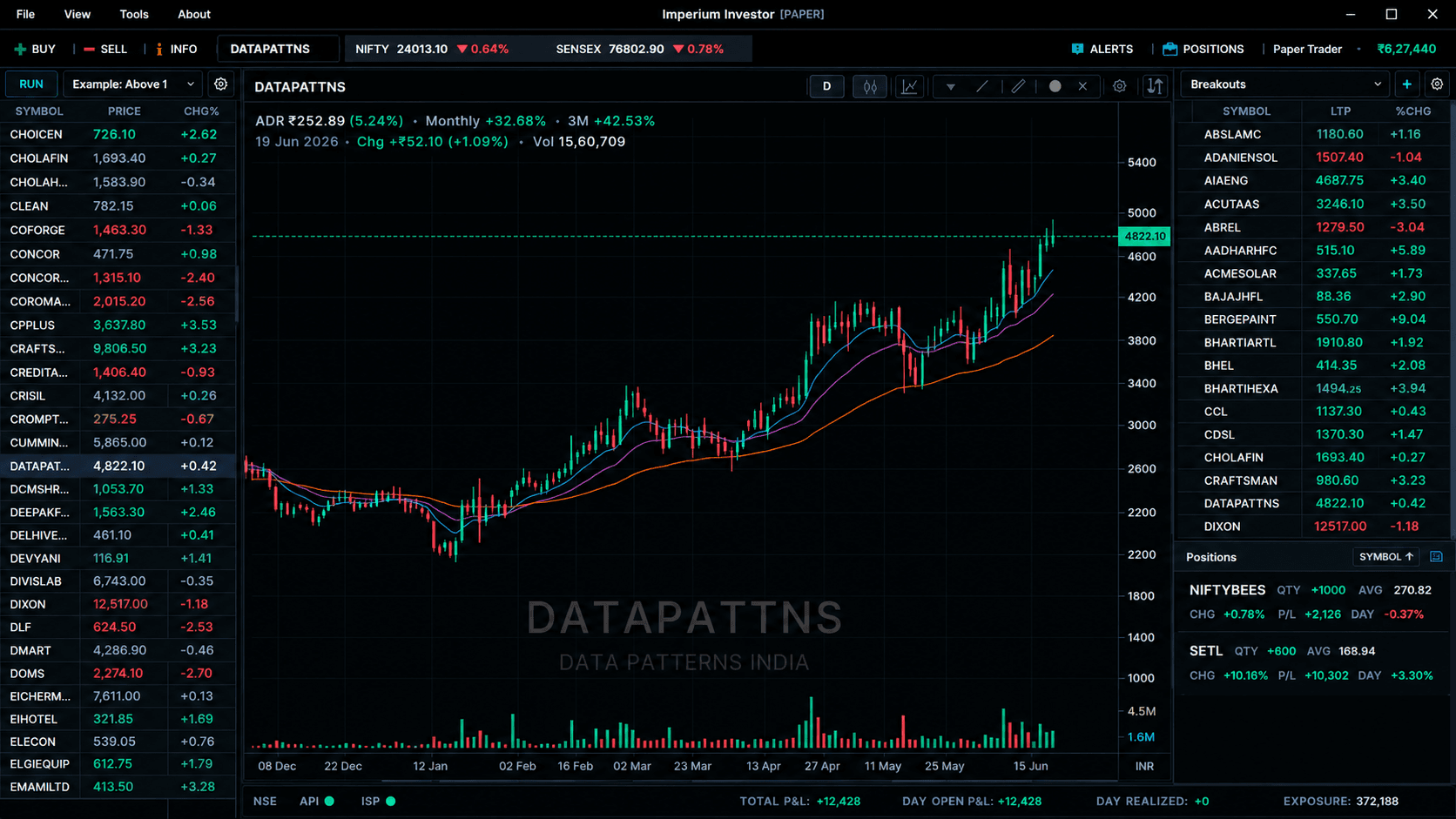
Imperium Investor is a desktop swing trading app that helps active traders move from idea discovery to chart validation to disciplined execution. It combines scanner-driven discovery, tabbed watchlists, professional charting, broker-aware order workflows, live positions, stop-loss management, alerts, news, portfolio intelligence, and performance review into one command center for traders who hold positions from days to weeks.
Who this is for
- Swing traders who hold positions from days to weeks
- Active stock traders who need real-time and historical market data
- Multi-market traders using Indian and U.S. broker-specific workflows
- Process-driven traders who want structured stop-loss, order history, P&L, and portfolio review tools
- Traders upgrading from spreadsheets, charting sites, broker windows, and disconnected browser tabs
What problem it solves
- Market discovery, chart analysis, order entry, risk tracking, and review are spread across disconnected tools
- Broker platforms are often built for general execution rather than a complete swing trading process
- Charting websites can leave traders manually transferring symbols, orders, alerts, and trade notes elsewhere
- Risk management is often handled after entry instead of being connected to positions, stops, and alerts
- Performance review is difficult when broker statements, notes, P&L, and portfolio context are scattered
What you get
- Scanner tables, native scanner dialogs, Finviz-style workflows, and tabbed watchlists for discovery
- Multi-timeframe charting from intraday to monthly with candlestick, OHLC bar, line, and Heikin-Ashi modes
- Drawing tools including trend lines, horizontal levels, rays, rectangles, Fibonacci tools, arrows, and notes
- Broker-aware order dialogs, pending orders, order history, order status updates, cancellation/modification paths, and execution tracking
- Stop-loss setup, updates, cancellation, triggered-state handling, position synchronization, local P&L, and alert management
- Portfolio intelligence, performance reporting, P&L history, account views, trade logging, news, status indicators, reconnect overlays, sounds, and workspace productivity tools
How it helps
- Turn broad-market scanner results into actionable watchlist candidates
- Validate swing setups with cleaner charts, drawing tools, multiple timeframes, and persistent chart workspaces
- Place and manage orders from the same workstation where the setup is analyzed
- Keep stop-losses, positions, alerts, pending orders, and P&L closer to the active decision workflow
- Review portfolio performance, P&L history, order history, and trade logs to improve process quality over time
- Build a dedicated command-center layout using floating windows, chart docks, search, shortcuts, sector views, and settings
FAQ
Is Imperium Investor only for advanced traders?
No. Beginners can use watchlists, charts, alerts, and order tools to build discipline, while advanced traders can benefit from scanner workflows, broker-aware execution, floating workspaces, and performance review.
Why is it focused on swing trading?
Swing trading requires finding candidates, validating charts across timeframes, planning entries, managing stop-losses, monitoring positions, and reviewing results. Imperium Investor is organized around that full cycle.
Does it replace my broker platform?
It is positioned as a broker-connected workstation that layers scanner, charting, watchlist, alert, risk, and review workflows around broker-specific execution capabilities.
Disclaimer
This content is for educational purposes only. It is not investment advice. Trading involves risk. Past performance does not guarantee future results.